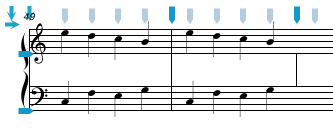
The Modify/Barlines menu lists commands to alter the appearance of barlines.
| Mensurstrich On/Off | ⌘8 | To turn on or off mensurstrich barlines |
| Tick Barlines On/Off | ⌃⌘9 | To turn on or off tick barlines |
| Hide/Show Barline | ⌥⌘1 | To show or hide the barline in the measure that the Entry Cursor is currently in |
| Add/Remove Begin Repeat | To add or remove a begin repeat barline in the first measure of a system |
The Mensurstrich On/Off menu item changes the barline format of the current measure (i.e. the measure that the Entry Cursor is on) between normal barlines and mensurstrich barlines. Mensurstrich barlines are used in early music and are drawn between the staves in a system but not through the staves themselves. Normally mensurstrich is only used when barlines are set to draw through the entire system - if the barline is set to draw on single staves, no barline will appear. If mensurstrich barlines are to be used throughout the entire document, you should check the Use Mensurstrich item in the Graphics tab of the NoteAbility Preferences panel.
The Tick Barlines On/Off menu item changes the barline format of the current measure (i.e. the measure that the Entry Cursor is on) between normal barlines and tick barlines. Tick barlines consist of a small red mark just above the top line of the staff. Tick barlines are useful in scores using timing rather than conventional measures. The example below shows a score with tick barlines.
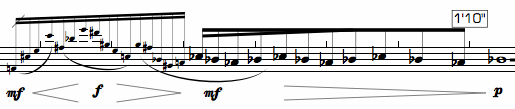
Notice that in the above example the first beat inset has been reduced to 0 so that all beats are equally spaced.
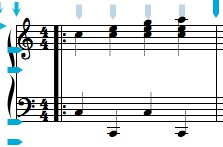
The Add/Remove Begin Repeat menu item adds or removes a repeat sign at the beginning of the measure. This is necessary in scores where the beginning of a repeat is the first measure in the system. The position of the barline is fixed and cannot be adjusted.
See also


© Keith A. Hamel 1998-2005 - All Rights Reserved |